A usable office plan starts with people, work patterns, equipment, and movement—not with a catalogue of desk shapes. By the end, you will know how to brief a manufacturer, check a proposed layout against the real room, compare workstation formats, and avoid paying for furniture that blocks circulation or cannot support future change.
Key takeaways
- Record attendance, desk sharing, storage, meetings and growth before drawing layouts.
- Measure walls, columns, doors, windows, power points and circulation routes on site.
- Match workstation privacy, storage and cable access to each team’s daily work.
- Use scaled drawings and a trial setup to find clearance and workflow problems early.
Turn Headcount and Work Patterns Into a Planning Brief
Before anyone draws an office layout, define who uses the space, how they work, and what the building will not let you move. Record headcount, team structure, attendance by day, assigned versus shared desks, storage needs, meeting needs, growth expectations, and the frequency of future reconfiguration.
1. Set demand by work pattern. Count peak simultaneous users, not total employees, and identify focused work, collaboration, calls, visitors, touchdown work, and home-working days. State which workpoints are assigned, reservable, or unassigned.
2. Set adjacency rules. Note which teams need to sit together, which roles require privacy, who needs visual supervision, and where printers, lockers, files, refreshment points, and meeting rooms must sit.
3. Record building constraints before selecting furniture. Mark structural columns, doors, windows, sprinklers, HVAC diffusers, floor boxes, power and data outlets, daylight zones, equipment access, and emergency egress routes. A workstation that blocks any of these creates installation or compliance problems.
4. Define the ergonomic and privacy target. Specify chair adjustment, worksurface depth, monitor-arm reach, keyboard position, and visitor seating; allow monitors roughly 20–40 inches from users with the screen top at or below eye level. Decide where screens need speech or visual shielding without blocking daylight or airflow.
5. State the churn plan. If teams will expand or relocate, identify standard panel widths, worksurface sizes, power modules, and interchangeable parts, then check whether extra connectors and service poles consume more floor area than they save.
Turn these decisions into a scaled workstation planning brief with space targets, capacity assumptions, and approval criteria. Without it, a drawing can fit desks while failing the way people work.
Measure the Room and Draw the Space You Actually Have
A test-fit begins with room measurement, not a catalogue layout. Record the internal wall-to-wall dimensions, columns, beams, windows, sill heights, doors, radiators, sprinklers, power points, data outlets, floor boxes, and fixed equipment, then convert them into a scaled floor plan.
1. Draw walls and fixed obstructions to scale. Mark each door’s opening direction, window location, and any zone that cannot receive furniture or services.
2. Add the manufacturer’s native CAD or BIM blocks, including panel thickness, support legs, modesty panels, power modules, connection points, and opening directions. A simple desk rectangle can hide an installation problem.
3. Draw each item’s operating envelope, not only its closed footprint. Include chair pull-out, user legroom, drawer and door swings, pull-out files, standing space, cleaning access, cable routes, and service access.
4. Apply clearance guidance to every aisle, desk, filing point, meeting seat, and emergency route, then check the dimensions directly on the scaled floor plan. Use the applicable building and fire codes for required escape widths.
5. Test storage with cabinets open and users standing in front of them. Show both closed and operating envelopes; a tall cabinet saves floor area but can restrict reach, visibility, access, or safe placement.
For sit-stand desks, reserve vertical and horizontal slack for monitor-arm travel, CPU mounting, cable movement, outlet locations, and collision clearance. Check these envelopes where desks meet walls or sit back-to-back, because cable length can determine whether the layout works.
Match the Workstation Type to the Work Being Done
Choose the workstation by the work pattern: interaction, concentration, privacy, equipment, and how often the seat is occupied. A compact option that suits one team can obstruct collaboration or waste space for another.
| Option | Best fit | Planning consequence |
|---|---|---|
| Benching workstations | Teams sharing screens, calls, and quick conversations | Efficient footprint, but add acoustic treatment and clear cable routes |
| Individual desks | Assigned staff with varied tasks and moderate privacy needs | Flexible placement; allow chair movement, storage, and visitor space |
| L-shaped desks | Users handling paperwork, dual monitors, or equipment beside the main screen | Larger footprint; check corner conflicts and circulation behind the chair |
| Cubicles | Teams needing visual boundaries and some acoustic separation | Good middle ground for focus; verify panel heights, lighting, and egress |
| Private offices | Confidential discussions, sensitive records, or sustained concentration | Highest space cost; reserve rooms for roles that genuinely need enclosure |
| Hot-desking | Hybrid teams with non-simultaneous attendance | Base capacity on peak simultaneous demand, not the number of seats purchased |
Do not force every desk into one size. Show how the chair, worksurface, monitor arm, and keyboard position adjust for different users, including sit-stand travel and cable slack. A route in a U.S.
workplace generally needs 36 inches of clear width; a door opening generally needs 32 inches, while turning spaces commonly use a 60-inch diameter or compliant T-shape. These apply to accessible routes, not every gap between desks.
Ask for the duty cycle and applicable BIFMA standard or test scope before approving commercial furniture. Residential dimensions and a generic “BIFMA compliant” claim do not establish suitability.
Use the Manufacturer for More Than Furniture Supply
Before approving a layout, require the manufacturer to prove that the furniture works inside the building, not just on a catalogue page.
1. Complete a site measurement and issue scaled layout drawings showing columns, doors, windows, floor boxes, power and data points, sprinklers, HVAC diffusers, daylight zones, and egress routes. Mark anything that needs building-owner approval before installation.
2. Supply native CAD and BIM files, not simplified rectangles. The files should show panel thicknesses, support legs, modesty panels, power modules, connection points, service clearances, and opening directions. These details expose clashes that a nominal footprint hides.
3. Produce cable management planning for power, data, and monitor leads. Show floor-to-desk routes, access panels, separation from walkways, and the space needed to add or repair connections without dismantling a workstation.
4. Draw the operating envelope around each product: chair pull-out, legroom, drawer and door swings, circulation, cleaning access, filing access, and emergency routes. A plan that shows only closed furniture will overstate capacity and create blocked aisles.
5. Test ergonomic adjustment ranges with the selected chair, worksurface, monitor arm, and keyboard tray. Check seat height, lumbar support, monitor height and viewing distance, keyboard position, and glare for different users rather than specifying one “universal” desk.
Ask Firio Furniture Industries ( R S Furniture) to document the intended duty cycle and the exact BIFMA standard and test scope for each commercial product. For open-plan options, compare screens and room treatments using ISO 3382-3 measures such as speech decay, A-weighted sound level, and distraction distance.
Related products
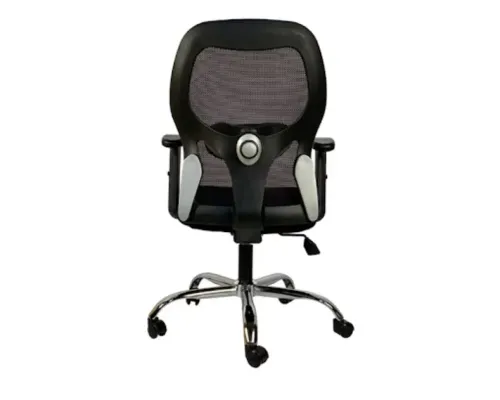
office chair ₹11250 Office Chair Manufacturer Ergonomic Office Chair Supplier Executive Office Chair Maker Mesh Office Chair Manufacturer High-Back Office Chair... View product → |
Office Chair Office Chair (SPENCER) ₹6600 OFFICE CHAIR |
Test the Proposed Layout Before Purchase and Installation
A layout is proven before installation by testing the furniture’s operating space, service connections, and user adjustments—not by checking whether closed desk footprints fit on a drawing.
1. Request native CAD or BIM blocks for the exact workstation. The files should show panel thickness, support legs, modesty panels, power modules, connection points, and opening directions rather than a simplified rectangle.
2. Place those blocks on a measured plan showing structural columns, doors, windows, floor boxes, power and data outlets, sprinklers, HVAC diffusers, daylight zones, and egress routes. Reject any arrangement that blocks equipment access or depends on moving building services.
3. Draw the operating envelope around every station. Include chair pull-back space, user legroom, circulation, cleaning access, cable routes, and service access, then show drawer opening and storage doors in their open positions.
4. Test each workstation with the selected chair, monitor arm, keyboard tray, and storage. Check monitor placement, viewing distance, glare, seat height, lumbar support, and keyboard position for short and tall users.
5. For sit-stand desks, raise and lower the worksurface on the drawing or in a mock-up. Check monitor-arm movement, CPU mounting, cable slack, collision clearance, and connections to power and data outlets.
6. Walk the test-fit with users and facilities staff. Mark blocked routes, awkward reaches, insufficient storage, and maintenance problems, then revise the plan before ordering.
A final check should repeat the test with planned headcount growth and changed team arrangements. If one added desk breaks circulation or access, the layout is already at capacity.
Related items
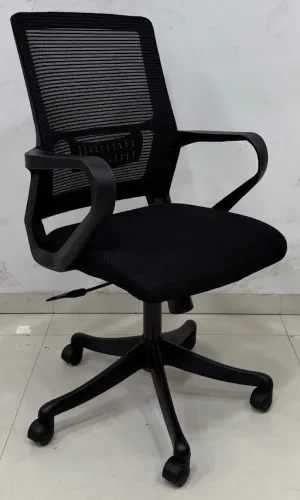
Office Chair Office Chair (MATRIX) ₹5400 office Chair |
best ergonomic office M-1044 ₹6500 Tall backrest for neck and shoulder support Ergonomic design for improved posture Cushioned seat for added comfort Durable upholstery (fabric,... |
Office Table Office Table M-3404 with Ply Ofice Table |
Office Chair ₹6700 Product Code : M-1096 HIGHLIGHTS DETAILS : Iron Base with powder coating PU soft handle, Push Back mechanism, Premium Quality Caster, Premium power... View service → |